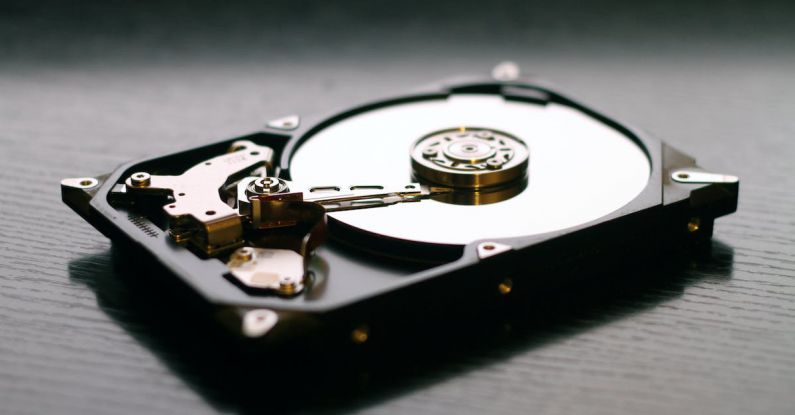
In today’s digital age, our lives revolve around technology, and one of the most crucial parts of our devices is the hard drive. Whether it’s a computer, laptop, or even a gaming console, the hard drive stores all our important data, including documents, photos, and videos. But what happens when this essential component starts to fail? In this article, we will explore the signs that indicate your hard drive may be nearing its end.
Slow Performance and Frequent Freezing
One of the most common signs of a failing hard drive is a noticeable decrease in performance. Your computer or laptop may begin to run slower than usual, taking longer to start up or load programs. You may also experience freezing or crashing of applications, indicating that the hard drive is struggling to read and write data. If you find yourself waiting for ages for a simple task to be completed, it could be a warning sign that your hard drive is on the verge of failing.
Strange Noises
Another telltale sign of a failing hard drive is unusual noises coming from your device. If you start hearing clicking, grinding, or whirring sounds, it’s time to pay attention. These noises indicate that the components inside the hard drive are no longer functioning correctly, possibly due to physical damage or mechanical failure. Ignoring these noises may lead to a complete hard drive failure, resulting in irreversible data loss.
Frequent Error Messages
If you start encountering frequent error messages while using your device, it’s a clear indication that something is wrong with your hard drive. These error messages may include “Disk boot failure,” “Invalid system disk,” or “No bootable device.” Such messages imply that the hard drive is struggling to read or write data, resulting in the inability to boot up your operating system. It’s important not to ignore these error messages and take immediate action to back up your data before it’s too late.
Disappearing or Corrupted Files
Have you ever experienced files mysteriously disappearing from your hard drive? Or perhaps you’ve noticed that files you’ve saved are now corrupt and unreadable. These are red flags indicating a failing hard drive. When a hard drive starts to fail, it may have difficulty retrieving and storing data properly, leading to missing or corrupted files. If you notice this happening, it’s crucial to back up your important data as soon as possible to prevent permanent loss.
Frequent Blue Screen of Death (BSOD)
The dreaded Blue Screen of Death (BSOD) is a common occurrence when a hard drive is failing. This error screen appears when Windows encounters a critical error from which it cannot recover. While it’s not always due to a failing hard drive, frequent BSODs accompanied by other symptoms mentioned above should not be taken lightly. It’s advisable to seek professional help or replace your hard drive to avoid further damage and potential data loss.
Conclusion: Act Before It’s Too Late
In conclusion, it’s essential to be aware of the signs that your hard drive is failing. Slow performance, frequent freezing, strange noises, error messages, disappearing or corrupted files, and frequent Blue Screen of Death are all indicators that your hard drive may be nearing its end. If you notice any of these signs, it’s crucial to take immediate action to back up your data and consider replacing the failing hard drive. Remember, prevention is better than cure, so regularly backing up your data and maintaining your hard drive’s health can help you avoid the stress and potential loss associated with hard drive failure.